I must say that for 95% of normal old photo scans even 2 gray eyedroppers are enough. 3 gray eyedroppers should be perfect for almost any non-scientific correction. Currently i use improved, but still rather slow manual workflow for this correction. With multiple gray eyedroppers this could take just 2 simple clicks:
- Create 2 layers of Curves.
- Pick light gray color by auto gray eyedropper in bottom Curves layer.
- Create Color Sample marker for dark gray color.
- Select global Eyedropper in Curves and Alt+Click on Color sample marker area to add points on R/G/B curves.
- Hide bottom Curves layer.
- Pick dark gray color from Color Sample marker area by auto gray eyedropper in top Curves layer.
- Hide top Curves layer.
- Show bottom Curves layer.
- Switch to R curve, select point, memorize x/y values.
- Switch to bottom Curves layer and enter remembered x/y values for point on Red curve using mouse scroll wheel.
- Switch to top Curves layer Green curve, select point, memorize x/y values.
- Switch to bottom Curves layer and enter remembered x/y values for point on Green curve using mouse scroll wheel.
- Switch to top Curves layer Blue curve, select point, memorize x/y values.
- Switch to bottom Curves layer and enter remembered x/y values for point on Blue curve using mouse scroll wheel.
Tool request - auto correction based on grayscale chart patches
-
shijan

- Mitglied
- Beiträge: 2033
- Registriert: Mo 23 Dez 2019 15:21
- Wohnort: Ukraine
Re: Tool request - auto correction based on grayscale chart patches
PhotoLine UI Icons Customization Project: https://www.pl32.com/forum3/viewtopic.php?f=3&t=6302
-
shijan
- Mitglied
- Beiträge: 2033
- Registriert: Mo 23 Dez 2019 15:21
- Wohnort: Ukraine
Re: Tool request - auto correction based on grayscale chart patches
Few days ago i discovered very interesting project RetroShine https://github.com/yellowdolphin/retroshine it is GUI for tiny AI model that generates RGB color correction curves to remove complex color cast. It was made specially for old film restoration purposes and could be additional alternative to multiple gray eyedroppers for PhotoLine Curves, requested earlier in this thread. It is also available as simplified online app https://web.retroshine.eu/, as plug-in for darktable https://github.com/yellowdolphin/darkta ... els-module and as command line tool https://github.com/yellowdolphin/autolevels
Currently it available only for Windows and Linux. macOS version in development but not released yet.
Maybe it could be somehow integrated into PhotoLine as native adjustment filter? Instead of separate external app, it could be so perfect to use it as native PhotoLine Curves preset or as 1D .cube LUT.
Currently it available only for Windows and Linux. macOS version in development but not released yet.
Maybe it could be somehow integrated into PhotoLine as native adjustment filter? Instead of separate external app, it could be so perfect to use it as native PhotoLine Curves preset or as 1D .cube LUT.
Du hast keine ausreichende Berechtigung, um die Dateianhänge dieses Beitrags anzusehen.
PhotoLine UI Icons Customization Project: https://www.pl32.com/forum3/viewtopic.php?f=3&t=6302
-
shijan
- Mitglied
- Beiträge: 2033
- Registriert: Mo 23 Dez 2019 15:21
- Wohnort: Ukraine
Re: Tool request - auto correction based on grayscale chart patches
So i tested RetroShine and also suggested some improvements to developer. It is possible that future versions could work with PhotoLine and Krita as external app and also could export correction as 1D .cube LUT. RetroShine works best for slide films correction. It require input image with sRGB TRC. It also automatically adjusts Gamma and Black point, and unfortunately it is impossible disable this automatic tonal correction yet. So currently it is more like tool for final color correction than tool for intermediate correction. Also in unusual scenes, same as any AI stuff, RetroShine may guess color slightly incorrect. It is very interesting application, but it is not a real replacement for requested manual multiple gray pickers for PhotoLine Curves.
PhotoLine UI Icons Customization Project: https://www.pl32.com/forum3/viewtopic.php?f=3&t=6302
-
shijan
- Mitglied
- Beiträge: 2033
- Registriert: Mo 23 Dez 2019 15:21
- Wohnort: Ukraine
Re: Tool request - auto correction based on grayscale chart patches
Here is one more idea that allow to keep Curves UI 100% unchanged. Just add right click menu to the Black and White eyedroppers, so they could be switched to additional Gray eyedroppers. The only problem i see - in this way it will be hidden and hard to find option.
Du hast keine ausreichende Berechtigung, um die Dateianhänge dieses Beitrags anzusehen.
PhotoLine UI Icons Customization Project: https://www.pl32.com/forum3/viewtopic.php?f=3&t=6302
-
pixel8tor
- Mitglied
- Beiträge: 72
- Registriert: Di 24 Jul 2018 17:15
Re: Tool request - auto correction based on grayscale chart patches
Another idea, if the black or white pipette (not sure why any sane person would ever use them in their current configuration anyway, who wants to slam pixels to 0 or 255) have the transparent "color" selected, they act the same as the gray/neutral pipette, and don't erase previous points! That's the main thing with the pipette tools, currently they erase any previously set points. But wouldn't the *easiest* solution be, if the gray/neutral pipette is selected and you hold down a modifier key the previous points aren't erased when clicking on another area? That way new neutralized points would accumulate on the curves. Which reminds me, why aren't points added to the ∑/composite channel when holding down the Command/Alt key to add points to currently only the color channels? That's inconsistent and would be useful.
-
shijan
- Mitglied
- Beiträge: 2033
- Registriert: Mo 23 Dez 2019 15:21
- Wohnort: Ukraine
Re: Tool request - auto correction based on grayscale chart patches
That was one of the first ideas posted in May 2023 viewtopic.php?p=51781#p51781 Yes, it could be OK if eyedropper clicked with key modifier didn't erase earlier created points. Eyedropper color box could just preview color of last created point. Single eyedropper that creates multiple correction points have advantages and disadvantages:pixel8tor hat geschrieben: Do 21 Mai 2026 00:26 But wouldn't the *easiest* solution be, if the gray/neutral pipette is selected and you hold down a modifier key the previous points aren't erased when clicking on another area? That way new neutralized points would accumulate on the curves.
Advantages:
- No need to change UI
- Can create unlimited amount of points
- Faster to use because no need to click on multiple buttons.
Disadvantages:
- One way "fixed" correction. Very uncomfortable when experimenting or guessing by picking from slightly different color casts of same gray tone. If some point was picked, it is impossible to quickly re-pick it. Need to find and delete manually each point from R/G/B curve and only then pick again.
So in summary:
In most real life "artistic" situations 3 gray points correction is enough. So i really hope that totally useless Black and White pickers could be by default replaced with Gray pickers.
Also as additional advanced option, clicking with key modifier could create unlimited amount of points that could be useful for more complex "scientific" situations.
P.S. What i really can't understand is why so simple, useful and unique improvement can't be done during 3 years (or 11 years, if count Tida's idea in 2015).


PhotoLine UI Icons Customization Project: https://www.pl32.com/forum3/viewtopic.php?f=3&t=6302
-
shijan
- Mitglied
- Beiträge: 2033
- Registriert: Mo 23 Dez 2019 15:21
- Wohnort: Ukraine
Re: Tool request - auto correction based on grayscale chart patches
Just discovered small collection of test film examples https://brianpritchard.com/wp/british-m ... ady-tests/
Even jpegs could be decently corrected like this:
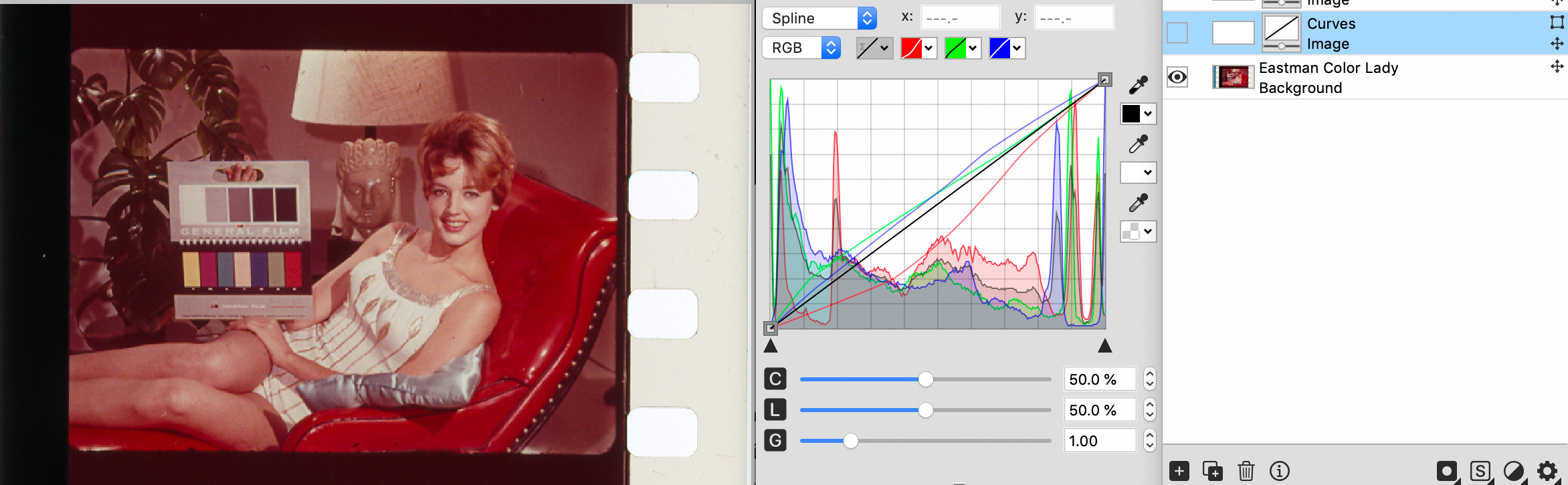
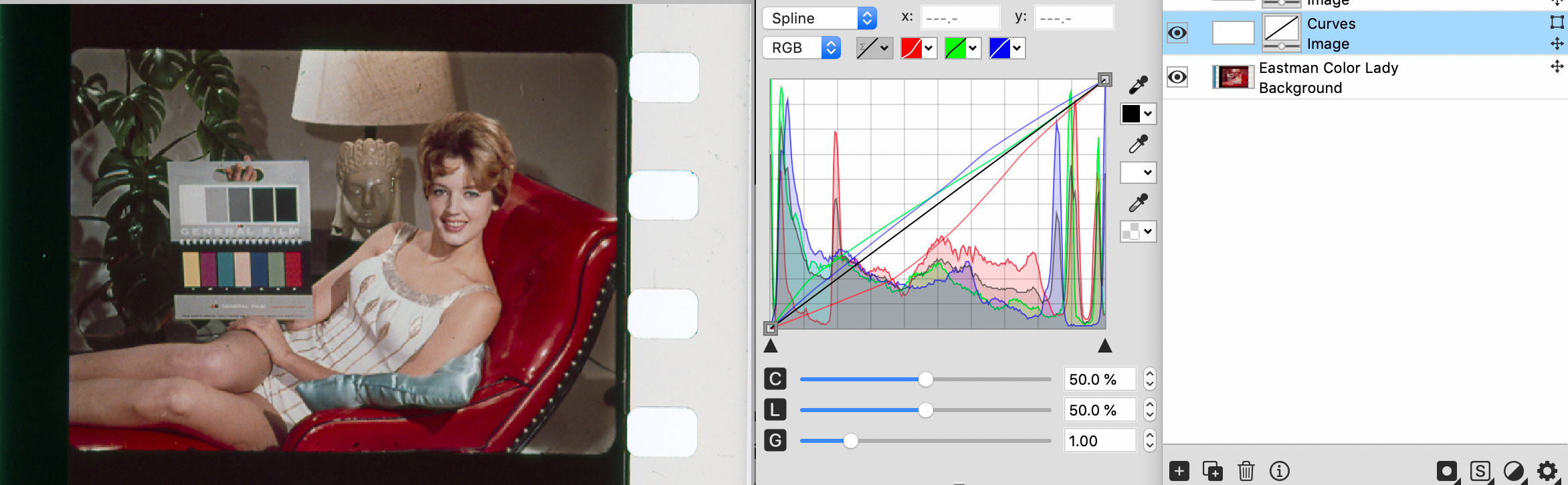
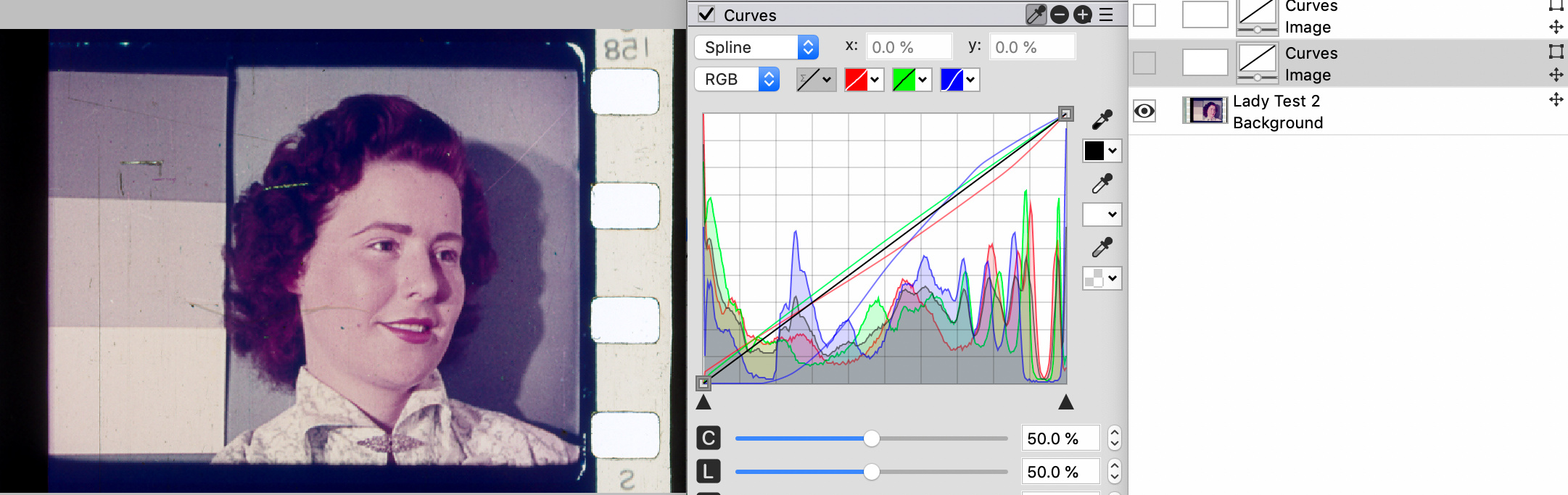
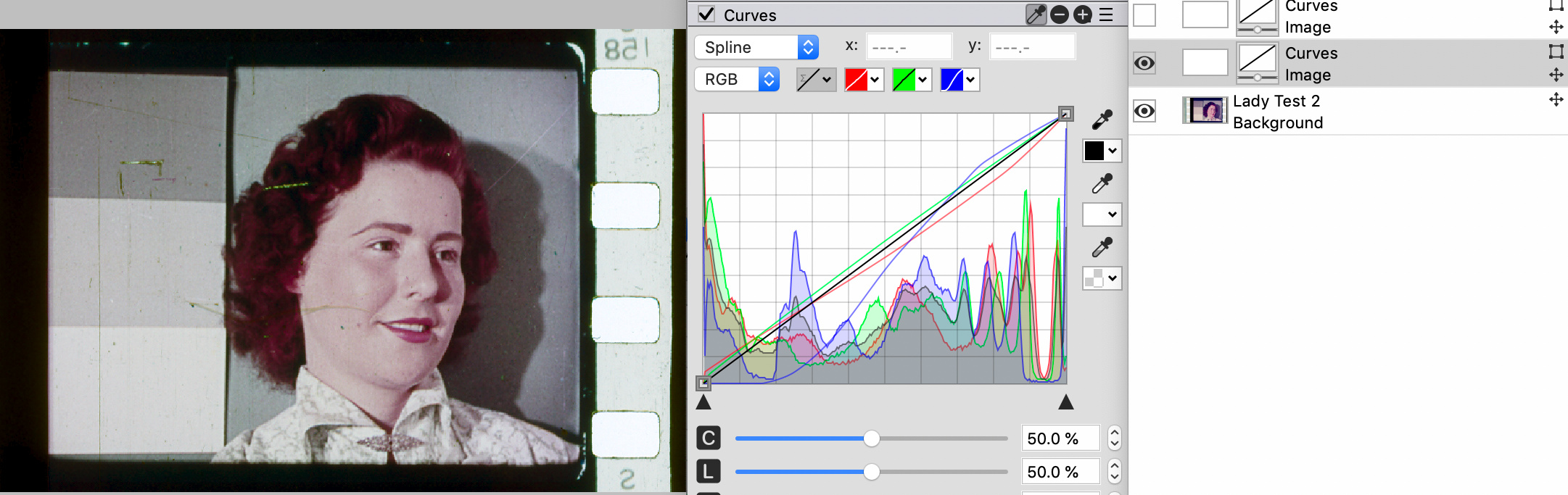
Even jpegs could be decently corrected like this:
PhotoLine UI Icons Customization Project: https://www.pl32.com/forum3/viewtopic.php?f=3&t=6302