Sad to see the Bezigon leave after a great entry. But that's okay. Developers need to focus on reliable features. I can now see the ligatures button in the latest beta activated as well as wonderful tangential snapping. Have to check the undo function. Will update this comment shortly.
It appears that undo does not apply uniformly for adjustment layers when applied through the traditional layers panel workflow. But it is not a deal breaker.
- Undo in Curves adjustment panel works very strange now. In older version If curves panel active, Undo created multiple additional steps. But in this version Undo simply works only if curves panel is inactive, which is not too logical at all.
- Gray Mixer sliders in adjustment panel still can't be grabbed by mouse in macOS 10.14.6
It is nice to see all those little improvements over time but some old critical "quality" problems seems still didn't fixed:
- Brushes engine is still 8-bit.
- Some layer styles are still 8-bit.
- Layer styles maximum size is too small and limited by 100%.
- Large sized Vector Outline Outside with line join Round creates polygonal edges.
- Remove Brush can't accurately clean long scratches on variable background.
- Painting Matrix settings changes when switch from Brush Tool to non-brush Tool and back.
- Adjustment Slider handles resets by double click to last used value instead of simply reset to 0.
- When Color Filter closed and opened again, disabled Eye Preview button show last used value instead of fully disabled value.
- Text layer use frame around character instead of real character edges.
- Text size always changes starting from upper edge of the text frame.
Zuletzt geändert von shijan am Mi 21 Jan 2026 19:41, insgesamt 1-mal geändert.
I agree. The adjustments panel workflow is totally and completely upside down. To undo, I have to click out of the curves adjustment. That's not useful. It should be the same as what it is now when curves are applied through the layers panel.
shijan hat geschrieben: Mi 21 Jan 2026 13:40
- Gray Mixer sliders in adjustment panel still can't be grabbed by mouse in macOS 10.14.6
Would you pls provide a screenshot? I don't know of any »gray mixer sliders« yet.
Nur wenige wissen, wie viel man wissen muss, um zu wissen, wie wenig man weiss.
Only few know how much you have to know to know how little you know.
— Werner Heisenberg [German theoretical physicist]
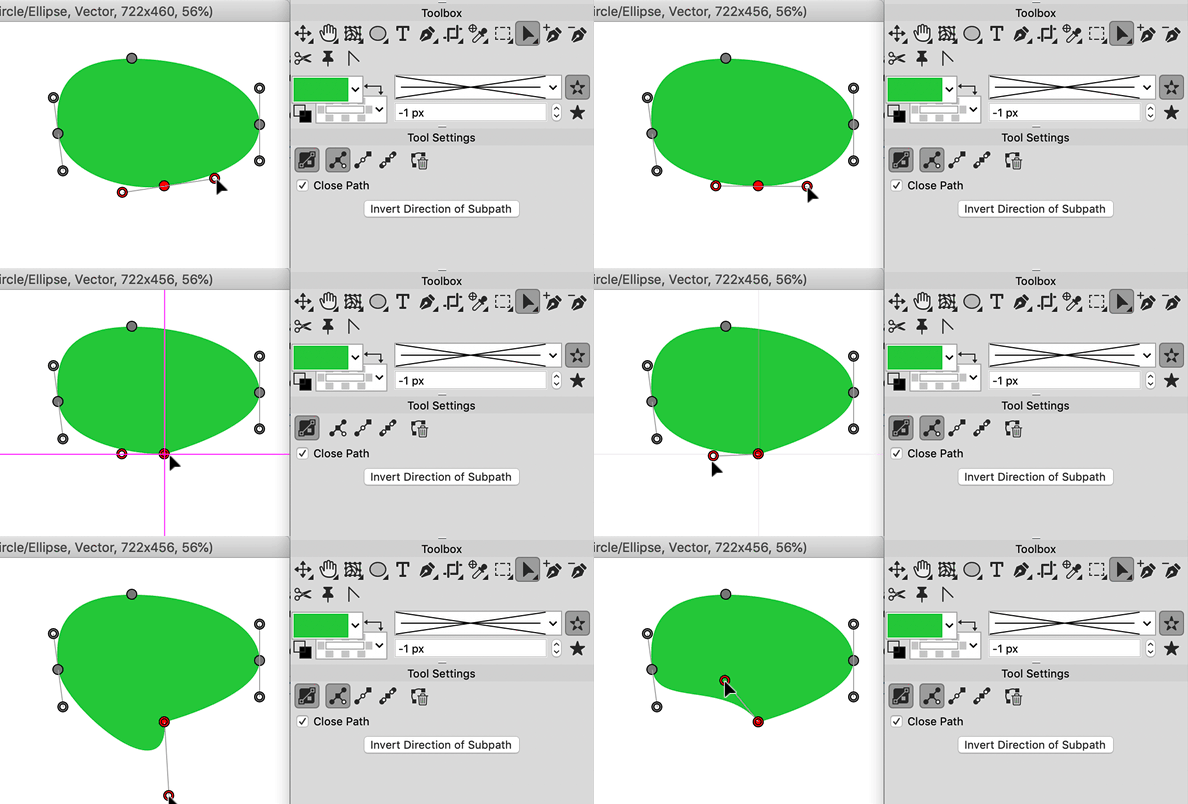
Here's something the developers have quietly introduced without mentioning, but it is actually a real game changer when you're working on smooth curves. It's tangential nodes. You can create tangential nodes with just one handle by alt clicking. And handle of the node can be aligned perfectly along the direction of the curve. I am so happy this is now possible in PL. Only very high grade typeface design software are capable of handling this problem. Like FontLab, which is $700 a year subscription.
I do still hope that someday we'll see a working Bezigon function. It is still the best way to create smooth beziers without tinkering with handles. Fingers crossed. Thank you!
Du hast keine ausreichende Berechtigung, um die Dateianhänge dieses Beitrags anzusehen.
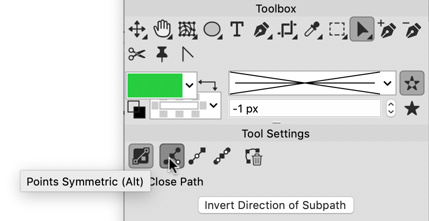
And if you had to turn a smooth node into a tangential node, you need to bring one of the handles and collide it with the node. The handle vanishes, leaving you with only the handle on the opposite side. You can constrain snapping to tangential points by holding down Alt key. Weirdly, however, tangential snapping only works if your Align to Auto Guides is turned off. Question for developers: Shouldn't tangential snap work when auto align is on? This way, you don't need to hold down alt. But I can also see the advantage of separating this from auto align behaviour.
This is actually a surrogate way of turning smooth to sharp nodes without actually turning them into sharp nodes. If you collide both handles, you essentially get a sharp node. NICE!
Interesting. This is seems like b-spline or "Control Cage" logic requested earlier for Curves adjustment https://www.pl32.com/forum3/viewtopic.php?t=7097 nice to see it. Hope it could be added to Curves adjustment as well.
Can't figure how to make it work on macOS. Guess i miss something or it works only in Windows version yet.
shijan hat geschrieben: Do 22 Jan 2026 22:06
Interesting. This is seems like b-spline or "Control Cage" logic requested earlier for Curves adjustment https://www.pl32.com/forum3/viewtopic.php?t=7097 nice to see it. Hope it could be added to Curves adjustment as well.
Can't figure how to make it work on macOS. Guess i miss something or it works only in Windows version yet.
I really don't understand why it don't works on my system. Align to auto guides is turned off. Guides Preferences set as you can see on the picture. I press Alt and drag handle to the node. It snaps, but don't behave as tangental.
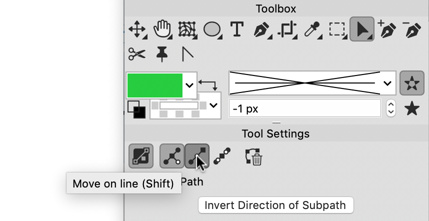
But this is not a new option. That hotkey always was there and buttons in tool settings where added about 2 years ago or so And there is no need to align handle with node to make it work.
The move on line is not new. What is new that you can create a perfect smooth to straight transition with the tangential node. Which you do all the time when you're going from a stem to serif in designing fonts.


 But it is not a deal breaker.


 And there is no need to align handle with node to make it work.