Lasso Mask, Brushes, Layer Styles & 3D Light Effects are 8-bit only and it is a HUGE problem

Hier diskutieren die Betatester von PhotoLine untereinander und mit den Entwicklern
Benutzeravatar
shijan
Mitglied
Beiträge: 2033
Registriert: Mo 23 Dez 2019 15:21
Wohnort: Ukraine

Re: Lasso Mask, Brushes, Layer Styles & 3D Light Effects are 8-bit only and it is a HUGE problem

Beitrag von shijan »

:arrow: Tested in 24.40b8 and up to 25.00b1:

Layer Styles that seems now support 16-bit:
Shadow Outside
Glowing Outside
Glowing Inside
3D Shadow
Outline Outside with enabled "Show Two-Dimensionally"
Outline Inside with enabled "Show Two-Dimensionally"
Color Overlay
Window Shades/Tubes (looks like 16-bit, but guess i can see some small additional line artifacts)

Masks that seems now support 16-bit:
Vector Mask Soft Edge support 16-bit.
Raster Mask Soft Edge support 16-bit, only if put any inactive Adjustment layer inside mask layer.
Raster Mask in RGB mode and with enabled Transparency support 16-bit, only if put any inactive Adjustment layer inside mask layer.
Raster Mask support 16-bit, if convert mask to Gray mode and disable Transparency.

Layer Styles that still works in 8-bit only:
Shadow Inside
Outline Outside if use Gradient with disabled "Show Two-Dimensionally"
Outline Inside if use Gradient with disabled "Show Two-Dimensionally"
Outer Emboss
Inner Emboss
Special Emboss
Inner Bend
Create Texture (not sure how to test exactly, but it looks like 8-bit)

Maximum possible Layer Style size is still limited to 100% of layer size. In many situations this is too small.

Brushes are still 8-bit only.
PhotoLine UI Icons Customization Project: https://www.pl32.com/forum3/viewtopic.php?f=3&t=6302
Benutzeravatar
shijan
Mitglied
Beiträge: 2033
Registriert: Mo 23 Dez 2019 15:21
Wohnort: Ukraine

Re: Lasso Mask, Brushes, Layer Styles & 3D Light Effects are 8-bit only and it is a HUGE problem

Beitrag von shijan »

No changes in 25.00b5 :( Layer Styles that still works in 8-bit only:
Shadow Inside
Outline Outside if use Gradient with disabled "Show Planar"
Outline Inside if use Gradient with disabled "Show Planar"
Outer Emboss
Inner Emboss
Special Emboss
Inner Bend
Create Texture (not sure how to test exactly, but it looks like 8-bit)

Maximum possible Layer Style size is still limited to 100% of layer size. In many situations this is too small.

Brushes are still 8-bit only.
Zuletzt geändert von shijan am Do 10 Apr 2025 15:42, insgesamt 1-mal geändert.
PhotoLine UI Icons Customization Project: https://www.pl32.com/forum3/viewtopic.php?f=3&t=6302
Vivi_Ram
Mitglied
Beiträge: 421
Registriert: Sa 28 Sep 2024 17:04

Re: Lasso Mask, Brushes, Layer Styles & 3D Light Effects are 8-bit only and it is a HUGE problem

Beitrag von Vivi_Ram »

+1 for these.

I noticed severe banding on layer FX. Didn't occur to me that it was because of 8-bit rendering. Kept increasing screen dpi with no change.

It would be immensely useful to have 16 bit brushes and FX. For realistic mock up design and much more. Which I do as bread and better.

Affinity doesn't not support 16 bit FX either, but the algo dithers and produces a better result than PL.

BUT, Affinity has another extremely serious problem. Merging layers always blurs the result. Thus, it makes it unusable. So kudos to PL.
Benutzeravatar
shijan
Mitglied
Beiträge: 2033
Registriert: Mo 23 Dez 2019 15:21
Wohnort: Ukraine

Re: Lasso Mask, Brushes, Layer Styles & 3D Light Effects are 8-bit only and it is a HUGE problem

Beitrag von shijan »

No any changes in 25.00b13 and 25.50
PhotoLine UI Icons Customization Project: https://www.pl32.com/forum3/viewtopic.php?f=3&t=6302
Benutzeravatar
Herbert123
Mitglied
Beiträge: 2455
Registriert: Sa 12 Mai 2012 21:38

Re: Lasso Mask, Brushes, Layer Styles & 3D Light Effects are 8-bit only and it is a HUGE problem

Beitrag von Herbert123 »

Vivi_Ram hat geschrieben: So 05 Jan 2025 14:07 +1 for these.

I noticed severe banding on layer FX. Didn't occur to me that it was because of 8-bit rendering. Kept increasing screen dpi with no change.
Be careful before you put the blame on 8-bit rendering. There may be other reasons for banding:

[1] is Anti-aliasing turned off for the document or the layer? If so, banding/rendering artefacts WILL occur when applying various layer effects. This is to be expected.

[2] is a stroke active for the vector shape? Strokes cause anti-aliasing, banding, and artefacting when used with certain layer effects. Turn off the stroke for vector shapes.

Another trick is to convert a shape with layer effects to a placeholder layer increase the canvas resolution, and upscale the shape. The return to the parent document and scale the layer down to the previous size.
This will remove/reduce slight banding and anti-aliasing issues, and also improve the details such as bevel effects. It also allows for smoothing the effects a notch in the placeholder version to remove subtle banding, which become invisible in the parent's document scaled-down version.

I almost always use this trick if I need the best quality effect in PhotoLine.

Here is a comparison (top one without anti-aliasing, second one with anti-aliasing, third one placed as a placeholder layer and scaled down):
test01.jpg
There are still issues, of course, with that third version. Anti-aliasing isn't the greatest here and there, and there is a small bug in the anti-aliasing rendering of the pillow effect.

But if anyone thinks that the grass is greener on the other side:
test02.jpg
The top one is Photoshop. Photoshop doesn't render layer effects at full 16bit - I tested this a few years ago, and as far as I could tell these are rendered at 13-bit, or max 4096 shades per channel.

Photoshop always has had serious issues with smoothing out those aliased steps. Also becomes rather apparent when bevels are used on type - something I notice sometimes in print adverts and billboards. It just looks horrendous. Once seen, it cannot be unseen ;-)

But what about the second version? That is Affinity when the user decides to use a custom curve to control the bevel. It's a different type of banding cause by the 'mesh' that is generated by the code.
This has been an issue since the very first release. Users have pointed it out, but Affinity's devs never really listened to complaints, so... It is still a critical issue.

Anyway, back to PhotoLine's layer effects. My opinion:

[1] I completely agree that the user should be allowed to use (much) larger numbers in the parameters.

[2] At higher resolutions (such as 8K images) layer effects stop working in PhotoLine. I would rather have the option that PhotoLine will warn the user about the slow rendering and that the action to apply a layer effect in a high resolution layer/document requires a manual confirmation and a progress bar is displayed while the effect is rendering. Give us a choice.

And we should all realize that these layer effects basically fake actual lighting, shadows, and so on. I have never seen these work perfectly in any 2D design application.

If REAL render quality is required switch to 3D. Here is Blender with its real-time viewport that updates smoothly while making adjustments.
test03.jpg
(this last image changes colours dramatically when I uploaded it here - way too dark and desaturated)
Du hast keine ausreichende Berechtigung, um die Dateianhänge dieses Beitrags anzusehen.
/*---------------------------------------------*/
System: Win10 64bit - i7 [email protected], p6t Deluxe v1, 48gb (6x8gb RipjawsX), Nvidia GTX1080 8GB, Revodrive X2 240gb, e-mu 1820, 2XSamsung SA850 (2560*1440) and 1XHP2408H 1920*1200 portrait
Benutzeravatar
shijan
Mitglied
Beiträge: 2033
Registriert: Mo 23 Dez 2019 15:21
Wohnort: Ukraine

Re: Lasso Mask, Brushes, Layer Styles & 3D Light Effects are 8-bit only and it is a HUGE problem

Beitrag von shijan »

Bit depth and aliasing are different problem sources. Upscaling is sort of partial solution, but it will not fix bit depth problem.
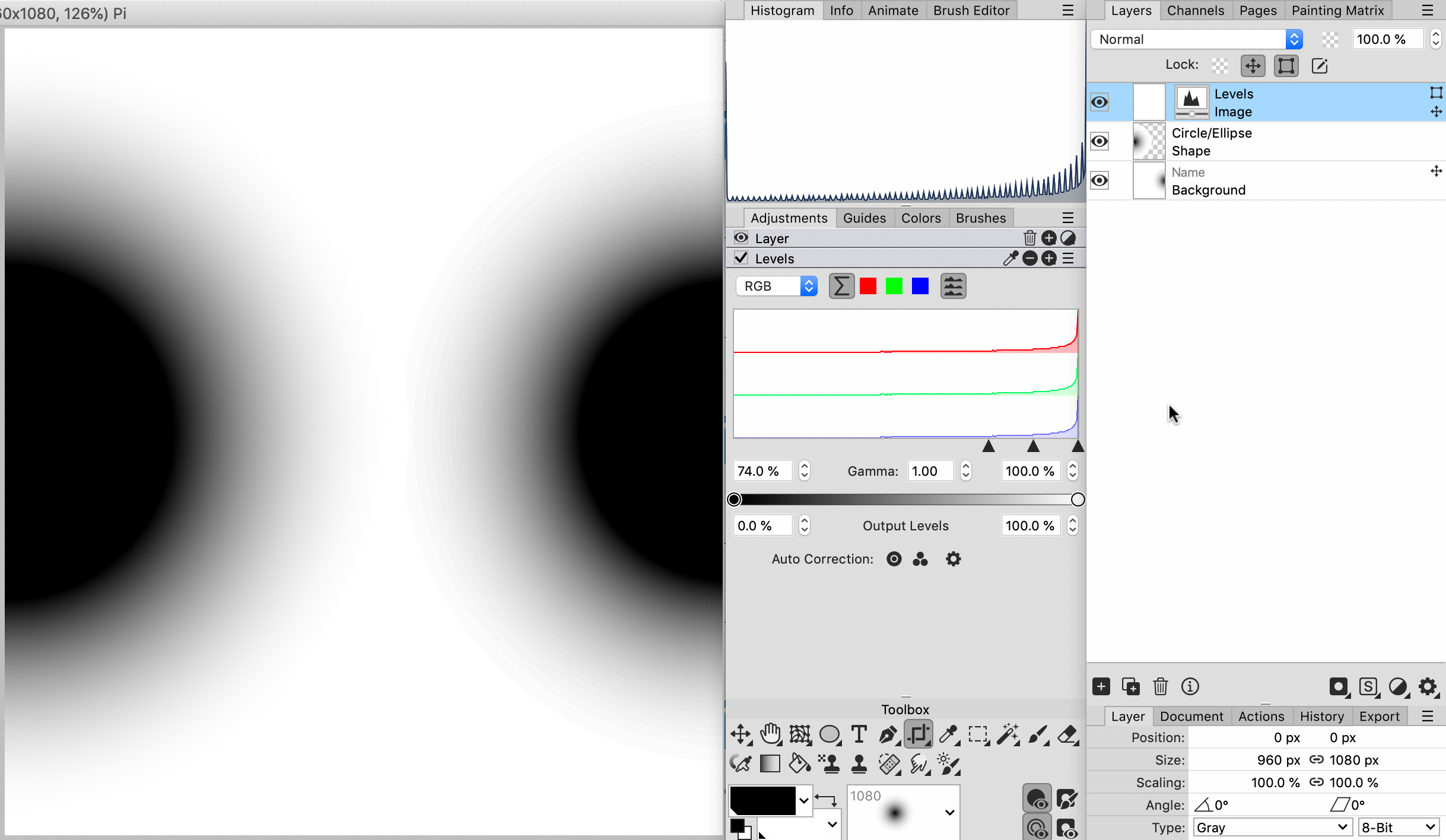
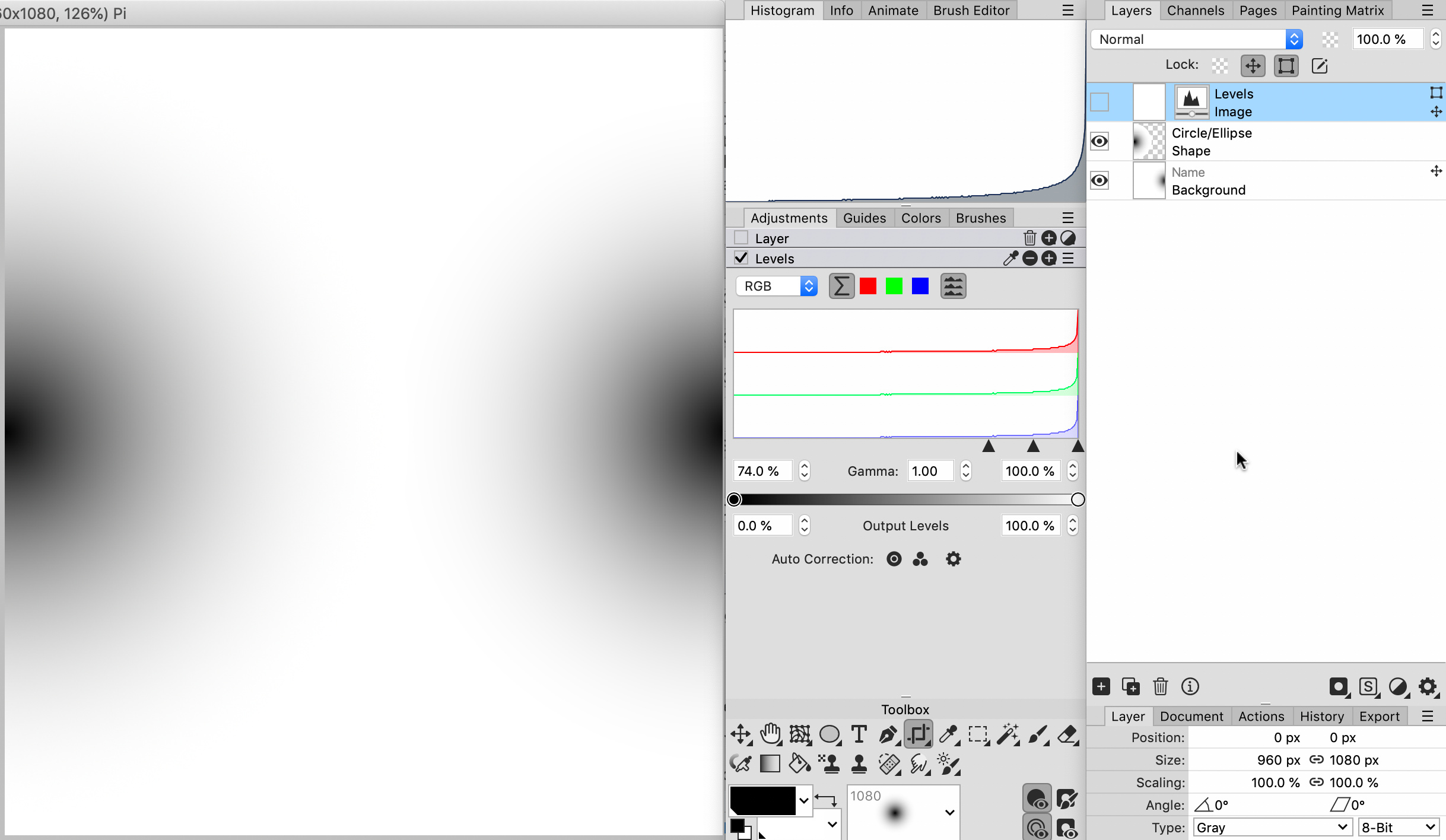
Here is rectangle example with Shadow inside (low bit depth) and Shadow outside (high bit depth) difference is highly visible if apply Levels (on good monitor difference also visible without any additional adjustment if look closer). Also this limitation feels strange because Glowing inside/outside (which is technically same variation of blur/soften effect) are both use high bit depth.
Bild
PhotoLine UI Icons Customization Project: https://www.pl32.com/forum3/viewtopic.php?f=3&t=6302
Benutzeravatar
Herbert123
Mitglied
Beiträge: 2455
Registriert: Sa 12 Mai 2012 21:38

Re: Lasso Mask, Brushes, Layer Styles & 3D Light Effects are 8-bit only and it is a HUGE problem

Beitrag von Herbert123 »

shijan hat geschrieben: Do 12 Feb 2026 04:30 Bit depth and aliasing are different problem sources. Upscaling is sort of partial solution, but it will not fix bit depth problem.
Here is rectangle example with Shadow inside (low bit depth) and Shadow outside (high bit depth) difference is highly visible if apply Levels (on good monitor difference also visible without any additional adjustment if look closer). Also this limitation feels strange because Glowing inside/outside (which is technically same variation of blur/soften effect) are both use high bit depth.
Bild
The reason why I mentioned those other causes for potential banding or aliasing issues is because those are often misunderstood and confused with 'real' causes for banding.

Of course I understand the difference.

As for the bit depth issues and banding: I am having a real issue seeing the banding that you mention: on my screen and working at 8bit (and as long as anti-aliasing is active for the document or layer) I just can't see any noticeable banding when I compare (for example) outside shadow and inside shadow.

Yes, I completely agree that all layer effects should be rendered at a higher bit depth internally - 15bit, 16bit - more than sufficient.

Could you share that example file with me? Because in my test I can't really see much banding. Certainly not those weird halos.
/*---------------------------------------------*/
System: Win10 64bit - i7 [email protected], p6t Deluxe v1, 48gb (6x8gb RipjawsX), Nvidia GTX1080 8GB, Revodrive X2 240gb, e-mu 1820, 2XSamsung SA850 (2560*1440) and 1XHP2408H 1920*1200 portrait
Benutzeravatar
shijan
Mitglied
Beiträge: 2033
Registriert: Mo 23 Dez 2019 15:21
Wohnort: Ukraine

Re: Lasso Mask, Brushes, Layer Styles & 3D Light Effects are 8-bit only and it is a HUGE problem

Beitrag von shijan »

Herbert123 hat geschrieben: Fr 13 Feb 2026 06:00 Could you share that example file with me? Because in my test I can't really see much banding. Certainly not those weird halos.
Low bit depth effect mostly visible if compress with Levels. Here is example with low bit depth brush and high bit depth vector gradient.
Bild

But on my 10 bit (8bit+frc) display if zoom to 100% and look very very close to monitor, i can see very low visible steps in lightest areas of gradient without any additional Levels adjustment.
Bild

PLD example in attachment.
Du hast keine ausreichende Berechtigung, um die Dateianhänge dieses Beitrags anzusehen.
PhotoLine UI Icons Customization Project: https://www.pl32.com/forum3/viewtopic.php?f=3&t=6302
Benutzeravatar
shijan
Mitglied
Beiträge: 2033
Registriert: Mo 23 Dez 2019 15:21
Wohnort: Ukraine

Re: Lasso Mask, Brushes, Layer Styles & 3D Light Effects are 8-bit only and it is a HUGE problem

Beitrag von shijan »

Seems like i also discovered a source of bit depth problem in Light & Shadow effect. It adjusts Gamma in high bit depth but use light/shadow brightness mask (similar to Color Filter) that seems like still works in 8-bit only. It also adds some sort of edge detection filter that creates glowing near contrast objects.
Bild
PhotoLine UI Icons Customization Project: https://www.pl32.com/forum3/viewtopic.php?f=3&t=6302
Vivi_Ram
Mitglied
Beiträge: 421
Registriert: Sa 28 Sep 2024 17:04

Re: Lasso Mask, Brushes, Layer Styles & 3D Light Effects are 8-bit only and it is a HUGE problem

Beitrag von Vivi_Ram »

+1 Again for this topic. 16 bit brushes, masks and layer styles are crucial. Today I ran into a serious challenge applying inner bevel. It caused severe banding. So I had to boot up my old copy of Adobe. Please could we have this fixed in the next big release? It is such a surprising bottleneck for a such a great software.