A contributor to the DPReview Kodak Talk forum has just nominated Photoscape as his preferred photo editing software. it obviously doesn't have the power of PhotoLine but it looks as though it does have a couple of useful tools we could use. They might be present already and I've just failed to see them! Oh no, not again!

http://www.photoscape.org/ps/main/index.php
1) Selective b&w/grayscale filter. Switch from color to grayscale, you use the mouse to select an area which retains color. This is not shown on the site, by the way. It is illustrated here: http://forums.dpreview.com/forums/read. ... e=39202038
Actually, the more I think about this, the less I think it might be useful! Obviously, you can do a perfect job by creating a second layer, applying transparency, and erasing the selected area. or just make a selection of the area where you want to retain color with the lasso, invert selection, and then change the new selected area to grayscale.
Hmmm -- just tried selecting and then inverting the selection. Use the Lasso tool to select, then to invert the selection, you must go to Mask > Invert Mask. That command should be in Lasso > Invert Lasso, I think. Or Selection > Invert Selection. From where I sit, I used the lasso to make a selection. "Mask" didn't have anything to do with it. I had to look up the manual to find that.
2) You can put together a number of pix to make one pic.
3) There's a splitter tool to slice up a pic.
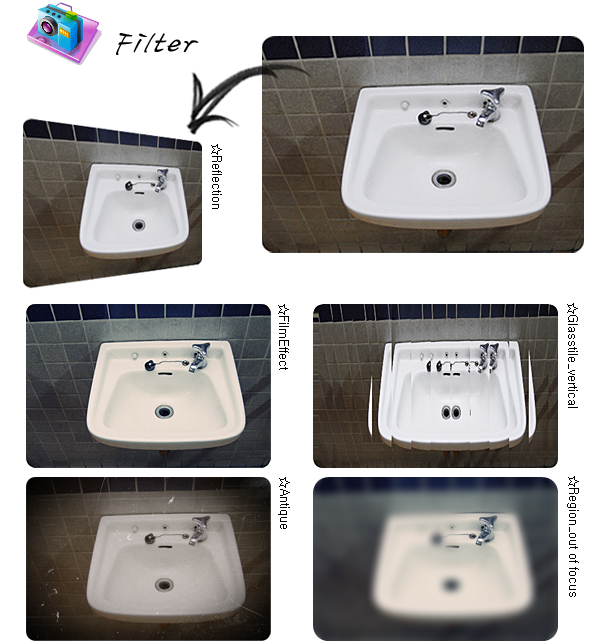
4) There's the Glasstile tool.
These latter three are illustrated on the site.
Cheers, geoff